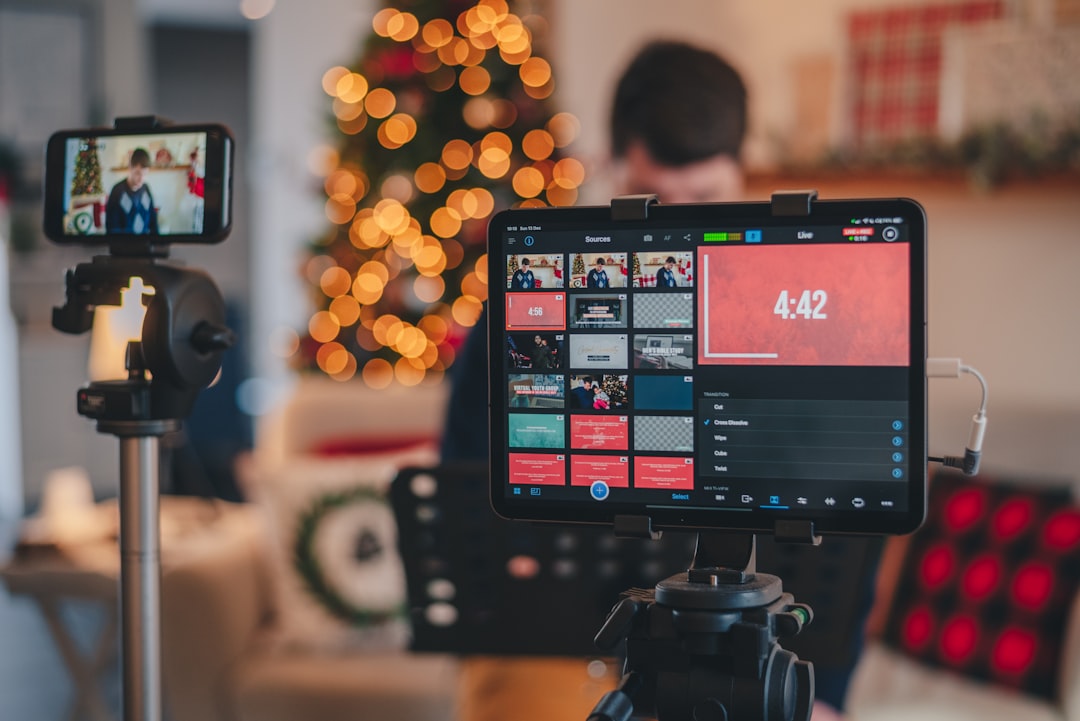
Growing a live streaming audience is less about finding one perfect platform and more about building a repeatable system. This guide sets out a practical workflow for choosing a focused topic, planning recurring broadcasts, improving retention, strengthening community, repurposing each stream and selecting monetisation options that fit your audience.
Overview
A live stream can create a stronger relationship with viewers than a one-off post, but consistency alone is not a growth strategy. You need a clear reason for people to attend, a reliable schedule, a format that is easy to understand and a follow-up process that continues after the broadcast ends.
The most useful way to approach live streaming is as a cycle:
- Choose a defined audience and a recognisable stream promise.
- Plan a repeatable format rather than starting from a blank page each time.
- Promote the broadcast with enough context for viewers to decide whether it is relevant.
- Deliver a structured live experience with clear interaction points.
- Review performance and audience feedback.
- Repurpose the strongest moments into content that attracts the next audience.
- Test monetisation only when it supports the viewer experience.
This workflow applies across Twitch, YouTube Live, TikTok Live, Kick, Facebook Live and specialist webinar or event platforms. The tools and available features may differ, so treat platform monetisation, discovery and eligibility details as changeable inputs rather than permanent assumptions.
Step-by-step workflow
1. Define a specific audience promise
Start with the question: why should someone return to this stream instead of watching any other live content? A useful promise combines a topic, a format and a benefit. For example, a creator might review new tools live, analyse a particular type of game, host a weekly industry discussion or help viewers solve practical problems.
A narrow starting point is usually easier to explain and promote than a channel that covers everything. You can broaden the subject later, once viewer behaviour shows which themes attract repeat attendance. Write the promise in one sentence and use it to check stream titles, thumbnails, descriptions and promotional posts.
2. Build a recurring format
Choose a schedule that you can maintain without damaging quality or your own energy. A dependable weekly or fortnightly format is more useful than an ambitious timetable that quickly becomes difficult to sustain.
Give each broadcast a simple running order. A practical structure might include:
- a brief opening that explains what is happening and when audience questions will be answered;
- the main demonstration, discussion, performance or activity;
- planned interaction points, such as polls, questions or viewer submissions;
- a short recap of the key points; and
- a clear explanation of what viewers can expect next.
Recurring segments help returning viewers know what to expect and reduce preparation time. They also make it easier to create clips later because the most useful moments have a clear context.
3. Design for retention, not just reach
Audience growth may bring people into a stream, but retention gives them a reason to stay. Avoid long periods at the beginning where the audience is waiting for the content to start. Open with the topic, establish the outcome and acknowledge the live nature of the broadcast.
Break longer sessions into identifiable sections. Mention transitions aloud, explain why a topic matters and invite interaction with specific questions rather than a general request to chat. If a viewer joins halfway through, a quick recap can help them understand the conversation without interrupting its flow.
4. Promote each broadcast with a clear reason to attend
Promotion should answer three questions: what is happening, when is it happening and why is it worth joining live? Announce the subject early enough for your audience to plan, then provide a reminder closer to the start. Use the same core message across community posts, email, social channels and platform notifications, adapting the wording to each format.
Do not rely on a title that only makes sense to existing followers. Include the specific problem, question or event that the stream will address. For a larger online event, you may also find it useful to compare virtual event platforms in the UK or review the different options in this guide to live webinar platforms.
5. Create a post-stream distribution plan
The end of a broadcast should begin the next stage of your content workflow. Mark useful moments during the stream, or note timestamps immediately afterwards. Look for concise answers, surprising points, strong audience questions, demonstrations and moments that make sense without the full broadcast.
Turn those moments into short clips, captions, quote graphics, a written summary, an audio extract or a follow-up discussion. The goal is not to publish everything. Select a small number of pieces that each serve a clear purpose: attracting new viewers, answering a common question or reminding existing followers about the next live session. See our guide to repurposing livestreams into shorts, reels, clips and podcasts for a more detailed process.
6. Introduce monetisation in stages
Monetisation works best when it is connected to the value your audience already receives. Possible routes include platform-based support, memberships or subscriptions, sponsorships, affiliate recommendations, digital products, services, ticketed events and merchandise. Not every route suits every creator, and availability, terms and eligibility can change.
Begin by identifying what viewers already ask for. If they want deeper access, a membership may be relevant. If they regularly request recommendations, carefully selected affiliate links may fit. If your content demonstrates specialist knowledge, a paid workshop or digital resource could be more appropriate than frequent promotional messages.
Keep a clear separation between community interaction and sales messaging. Explain what is included, avoid implying guaranteed results and review whether each offer improves or distracts from the stream. For platform-specific considerations, use the Twitch monetisation guide as a starting point, then verify current details directly with the relevant platform.
Tools and handoffs
A simple tool chain is easier to maintain than a crowded one. Your basic workflow may include streaming software, a planning document, a moderation method, a cloud folder for recordings and an editing or clipping tool. OBS can support a flexible production setup, while browser-based tools may be more convenient for interviews, webinars or teams.
Use a shared content log to record the stream title, date, topic, guest details, useful timestamps, audience questions and follow-up ideas. This creates a handoff between live production and post-production without requiring you to rewatch every minute.
Overlay and alert tools can make key information visible, but they should support the content rather than compete with it. Review stream overlay tools and alert apps when your presentation needs improvement. If you are considering more than one platform, compare the workflow before adding complexity: our guides to multistreaming and multistreaming tools cover the operational trade-offs.
AI tools can assist with clip suggestions, captions, titles and moderation, but review their output before publishing. A human check remains important for context, names, tone, copyright-sensitive material and any claims made during the broadcast. See our overview of AI tools for live streamers when evaluating this part of the workflow.
Quality checks
- Audience fit: Does the title make the subject and benefit clear to someone who does not already know you?
- Production basics: Can viewers hear speech clearly, see the important content and follow transitions without confusion?
- Opening minute: Does the stream begin with useful context rather than an extended waiting period?
- Interaction: Are questions and calls to action specific, manageable and relevant to the topic?
- Accessibility: Have you considered captions, readable on-screen text, clear descriptions and a replay option where appropriate?
- Repurposing: Did you record timestamps and identify moments that work outside the original broadcast?
- Monetisation: Are promotions clearly explained and proportionate to the value of the content?
- Measurement: Are you tracking more than peak viewers, such as repeat attendance, watch time, meaningful chat activity, follows, email sign-ups or sales?
Review patterns across several broadcasts rather than changing direction after one unusual result. A smaller stream can still be valuable if it produces useful questions, repeat viewers, strong clips or qualified interest in an offer.
When to revisit
Revisit this workflow whenever a platform changes its discovery, monetisation, moderation or analytics features. Also review it when your audience shifts, you introduce a new format, your equipment changes or the time required to produce each stream becomes unsustainable.
Set a regular review point after a practical sample of broadcasts rather than relying on daily fluctuations. Compare which topics attracted returning viewers, where people stopped watching, which questions appeared repeatedly and which repurposed formats generated meaningful follow-up. Then make one or two deliberate changes for the next cycle.
For your next stream, write a one-sentence audience promise, choose three segments, schedule one promotion, mark useful timestamps and define one success measure. After publishing the replay and follow-up content, record what worked in your content log. That small routine turns live streaming from a series of isolated broadcasts into a system that can improve and monetise over time.